
Built around your business.
Not the other way around.
From defining your financial structure to tracing every allocated dollar, Prism brings your allocation process together in one focused workspace. With SpectrumAI integrated throughout, finance teams can build and manage allocation models, investigate results, and explain financial outcomes—all through natural-language conversations.
Define your business metadata.
Build an allocation model that reflects how your organization actually operates. Configure dimensions, members, and hierarchies around your general ledger segments and the management reporting cost objects that matter to your business.
Build your allocation logic.
Define the source, destination, and driver for each allocation. Organize rules into stages and rulesets to support everything from straightforward cost distributions to complex, multi-stage models.
Precise source-to-target control
Choose the intersections that supply costs and the destinations that receive them.
Drivers that fit your process
Use operational or financial drivers to distribute costs based on the logic you define.
Bring your data together.
Load pre-allocation financial data from your general ledger or other systems, along with driver data such as headcount, square footage, or activity volumes. Preview your inputs and validate them before running your model.
Execute with confidence.
Run your allocation model and review the details of each execution. Understand which rules ran, what amounts moved, and how your model performed—with execution history available for reference.
Understand every result.
Go beyond the final balances. Explore allocation results, investigate costs that remain unallocated, build analysis views, and follow costs through each stage of the model with lineage.
Investigate individual allocations
See how costs were distributed from source intersections to their targets.
Analyze on your terms
Explore model outputs using flexible analysis views.
Your allocation model.
A conversation away.
Spectrum is Prism's integrated AI assistant, designed to help finance teams build, manage, and understand their allocation models using natural language.
From creating allocation rules and updating model structures to investigating results and tracing cost flows, Spectrum makes complex tasks easier without requiring technical expertise.
See Spectrum in action
In this example, Spectrum explains a manufacturing labor allocation and breaks down how costs were distributed across products in the latest execution.
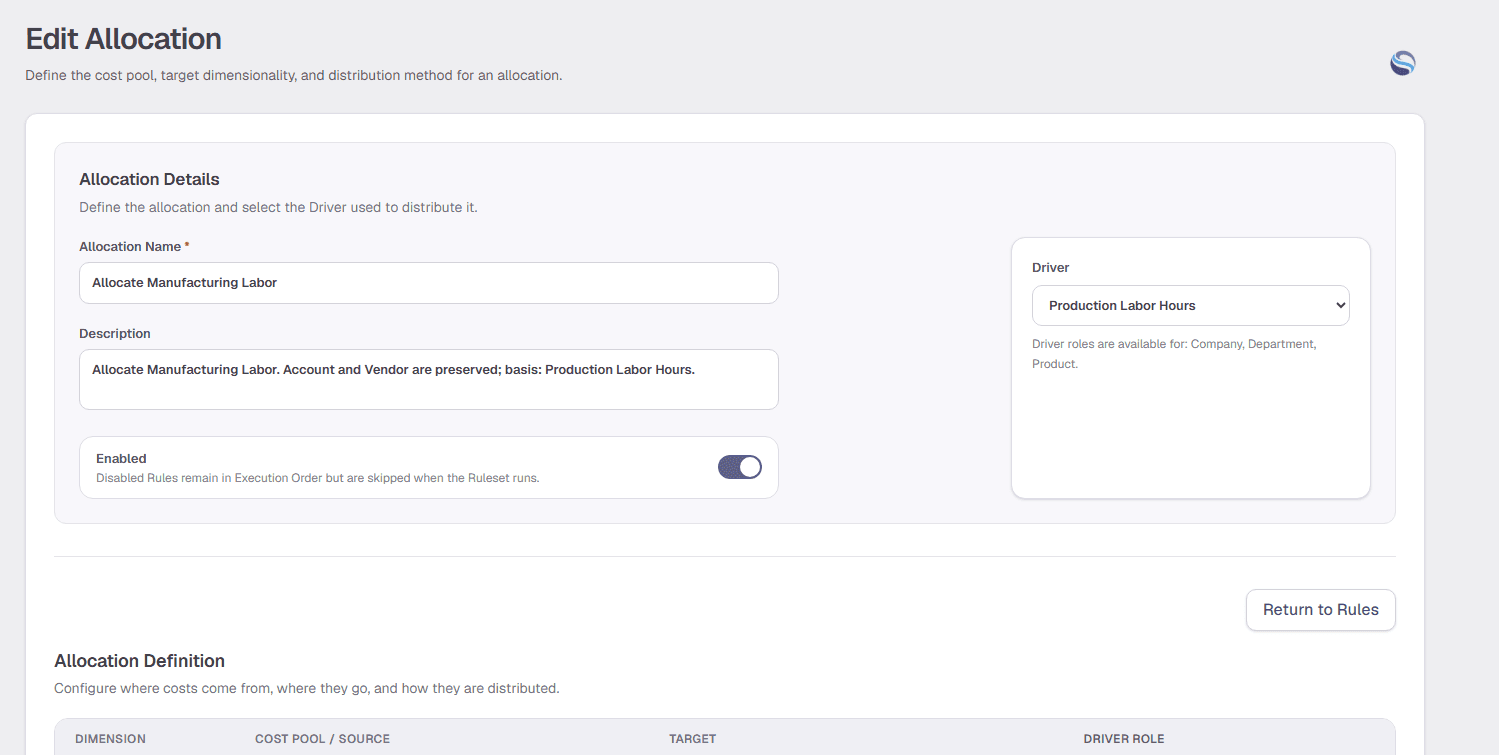
Illustrative demo data: product-level allocation percentages and amounts are examples, not verified execution results.
More than answers. Real capabilities.
Build and manage
Create and modify allocation rules, configure drivers, update metadata, and build analysis views through guided conversations.
Analyze and explain
Explore allocation results, understand cost distributions, investigate unallocated balances, and trace amounts back to their sources.
Whether you're configuring a new model or answering a question about an existing one, Spectrum helps you move from question to action without leaving Prism.
Ready to simplify your allocations?
See how Prism can support the allocation processes unique to your business.
Request a demo ↗